The CrUX Dashboard is deprecated. Treo is the best free alternative.
Google retired the CrUX Dashboard in November 2025. Treo shows the same Chrome UX Report data, with no setup. Type a domain to see its Core Web Vitals with full distributions and up to 5 years of history. It's free, always up to date, and needs no account.
Or open an examplegithub.com
nytimes.com

Largest Contentful Paint
Interaction to Next Paint
Cumulative Layout Shift
Trusted by web performance experts
“Want to check your histograms from CrUX? Try Treo!”
“You can also check if it’s particularly countries that are slow […] Treo is one of the best tools to do that with.”
“A periodic reminder that if you care about Core Web Vitals Treo is one of the most valuable tools you could add to your arsenal.”
What happened to the CrUX Dashboard
Google deprecated the CrUX Dashboard at the end of November 2025 and stopped updating it. The deprecation was announced on September 9, 2025, in a blog post and in the CrUX announcements group. Google suggests CrUX Vis "or another supported tool", or your own copy of the dashboard on BigQuery.
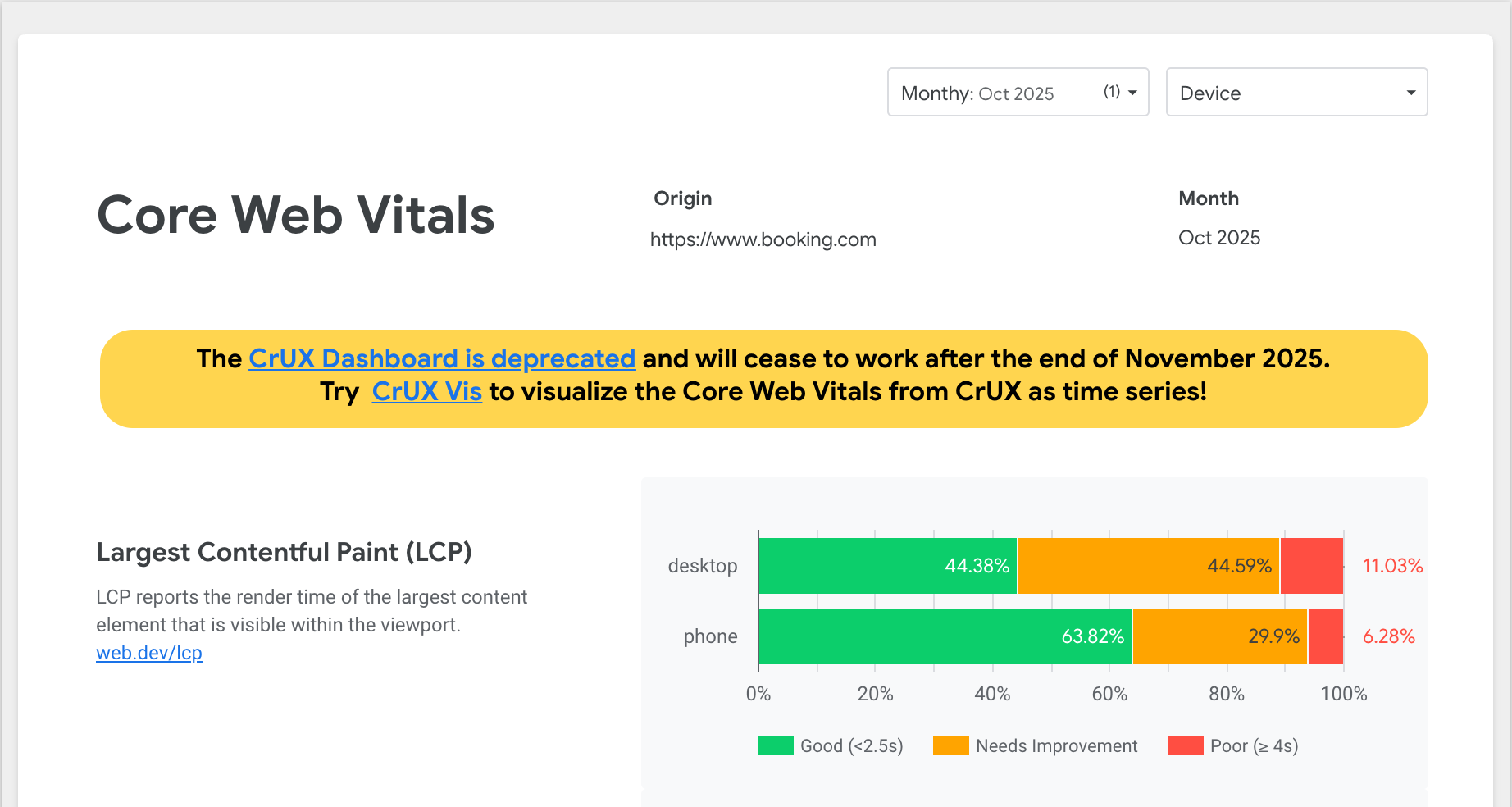
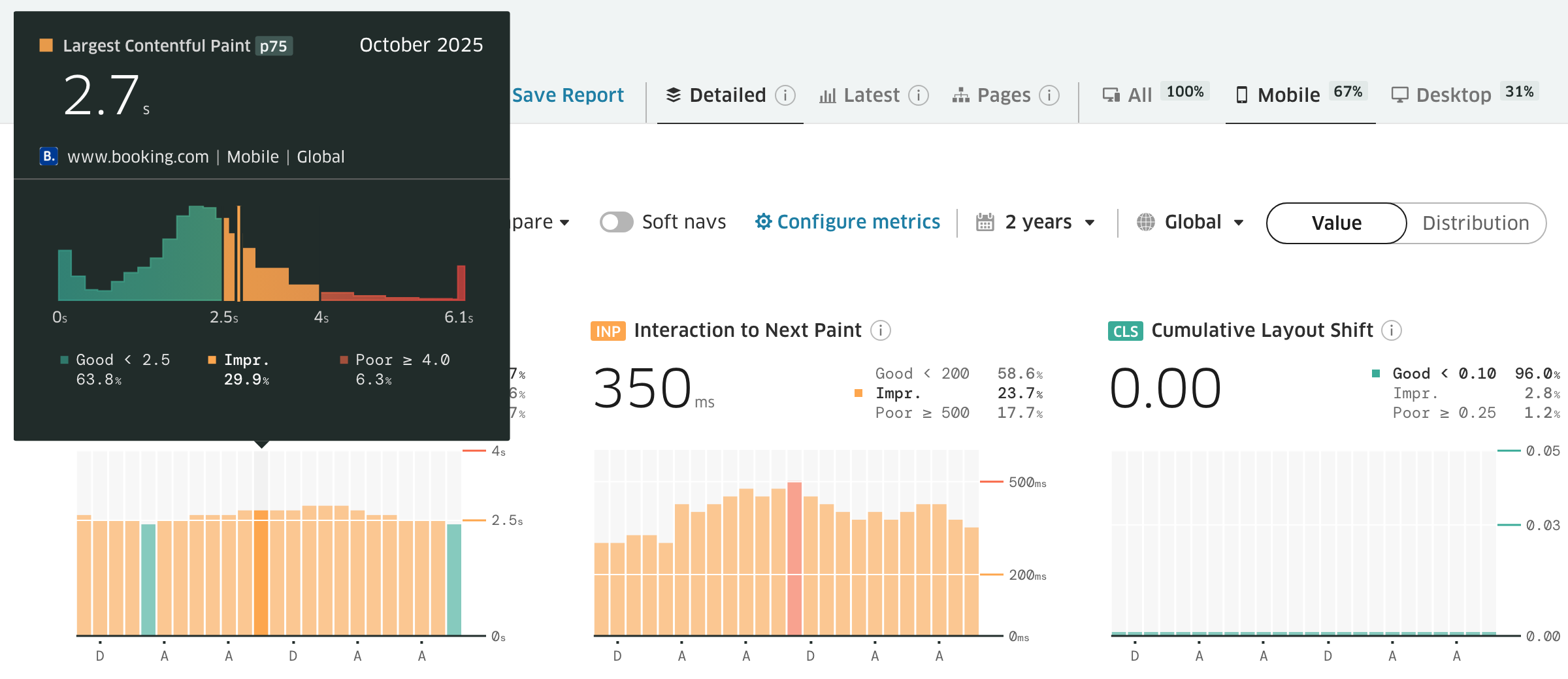
Treo shows the same month with the same numbers, plus the histogram, trend and history for multiple metrics. The report is always up to date and ready for a presentation.
In April 2025 Barry Pollard of the Chrome team wrote that the dashboard's connector was going away, and named Treo among the CrUX tools with a free history view.
Why Treo is the best CrUX Dashboard alternative
Treo is a Chrome UX Report dashboard built on BigQuery data, so it works as a CrUX Dashboard replacement for any website. It keeps more history and offers powerful features:
- Nothing to set up. You don't need a Google Cloud project, a BigQuery bill or SQL.
- It's always up to date. Treo loads each monthly CrUX release the day Google publishes it.
- History goes back up to 5 years. That's 2 years with Treo Free and 5 years on paid plans.
- Every country that CrUX publishes is there, on a map and as a filter.
- You see full distributions. Each month has its whole histogram, with custom percentiles like p25 to p99 beside p75.
- You can configure custom metrics and access custom percentiles and all metrics, including DCL and Onload.
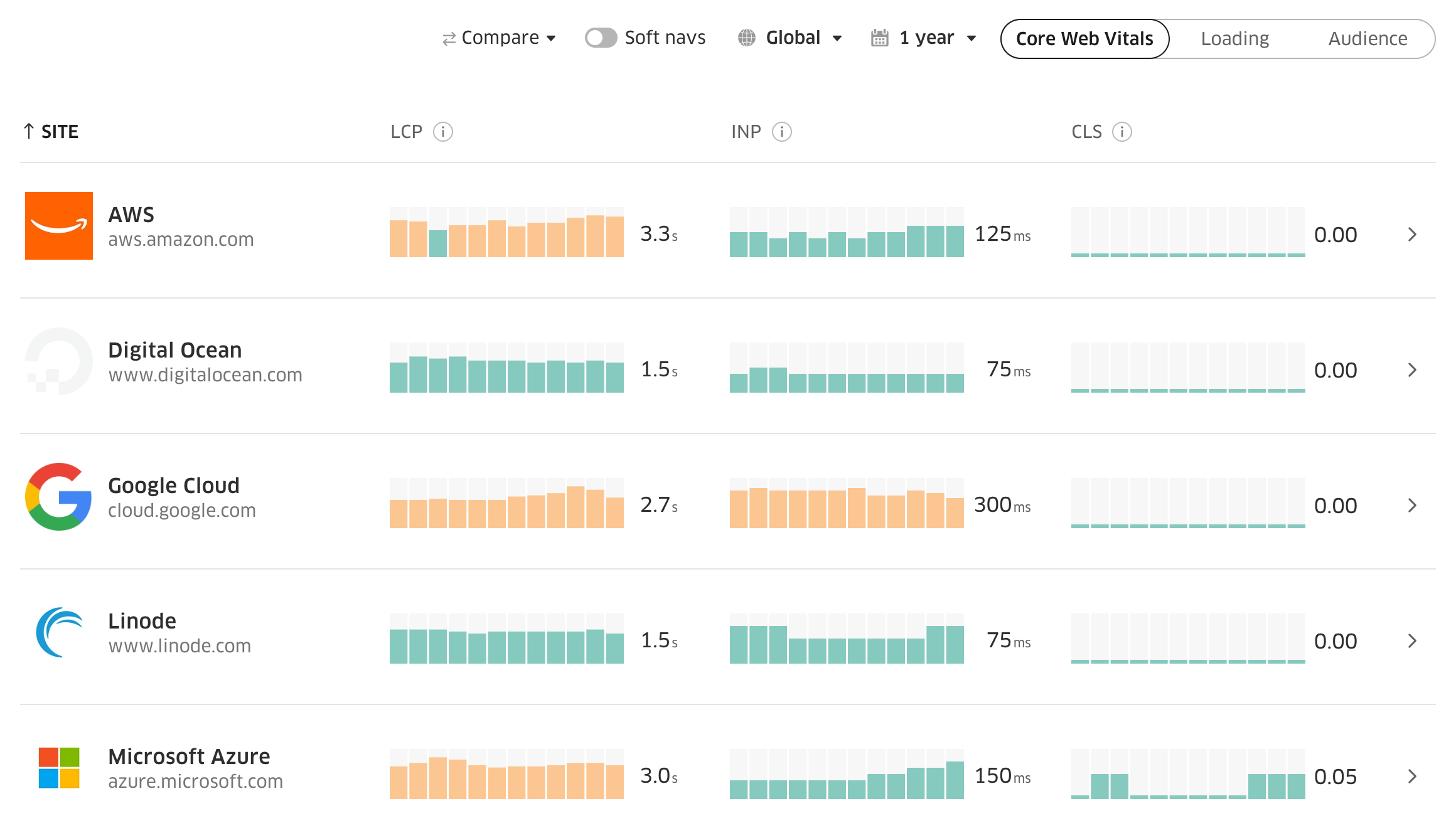
- Competitors sit next to your site. You compare their Core Web Vitals with yours in one list.
- Your sites are saved. Treo Free keeps 5 sites, and Scan adds page-level CrUX data.
- Sharing is easy. Every report is a link.
- New CrUX metrics arrive fast. Treo already shows ad metrics and the soft-navigation Core Web Vitals, FCP and navigation types. It also has round-trip time (RTT), which replaced connection types in CrUX.
You could build this yourself on BigQuery, but it isn't cheap. Five years of CrUX is 14,579 tables and 170 TB, and one scan of it all costs about $1,000. And you need to rerun the queries for a new month or a new domain, and there are many nuances in the data. You can easily spend $10,000+ and a lot of time and get nowhere. There are many such cases. With Treo, it's free and instant.
Create a free account and you get Treo Free, a Core Web Vitals dashboard for your own sites. Paid plans add 5 years of history, up to 20,000 CrUX pages and Lighthouse monitoring from 10 locations.
The CrUX Dashboard, CrUX Vis and Treo compared
Treo's free report covers both tools. The Detailed tab has the monthly BigQuery data that the CrUX Dashboard showed, and the Latest tab has the weekly CrUX History API data that CrUX Vis shows.
| CrUX Dashboard | CrUX Vis | Treo | |
|---|---|---|---|
| Price | Free | Free | Free; paid plans for more |
| Data | CrUX BigQuery, monthly | CrUX History API, weekly | Both: monthly and weekly |
| History | 10 months | 40 weeks | 25 months free, up to 5 years paid |
| Countries | Global only | Global only | Every country in CrUX |
| Sites | One at a time | One at a time | Yours and competitors, side by side |
| URLs | None | One at a time | Added manually or by a scan |
| Distribution | p75 and shares | p75 and shares | p75, shares, p25 to p99 |
Open a report from the address bar
Just add your domain to the URL https://treo.sh/sitespeed/<domain>, and it opens the free report.
Or type a domain here
Other CrUX Dashboard alternatives
The other CrUX Dashboard alternatives are CrUX Vis, PageSpeed Insights, RUM tools and your own BigQuery queries.
| You need | Use |
|---|---|
| Google's quick weekly look at one site or URL | CrUX Vis |
| One URL's latest 28 days next to a Lighthouse run | PageSpeed Insights |
| Every page view, browsers other than Chrome, pages with too little traffic for CrUX | A RUM tool: DebugBear, Calibre or RUMvision |
| Full SQL control | Your own BigQuery queries |
Frequently asked questions
Is the CrUX BigQuery dataset going away too?
No. Google still updates the CrUX BigQuery dataset, the CrUX API and the CrUX History API. Only the Looker Studio dashboard and its connector were deprecated, so Treo keeps working.
What replaced the CrUX Dashboard?
Google's own replacement is CrUX Vis. It shows weekly CrUX History API data for one origin or URL, goes back 40 weeks and has no countries. Treo is the CrUX Vis alternative that still has the monthly CrUX BigQuery data the old dashboard showed, for any website, every country and up to 5 years.
Does the CrUX Dashboard v2 template in Looker Studio still work?
Only if you run your own copy. Google's instructions for its Looker Studio report, CrUX Dashboard v2, set it up on your own BigQuery project, and Google no longer maintains the template.
How do I see more than 40 weeks of Core Web Vitals history?
The CrUX History API stops at 40 weeks, so you need the monthly CrUX BigQuery dataset. Query it with SQL, or open it in Treo.
See your site's Core Web Vitals history
Type a domain to open its free report.